



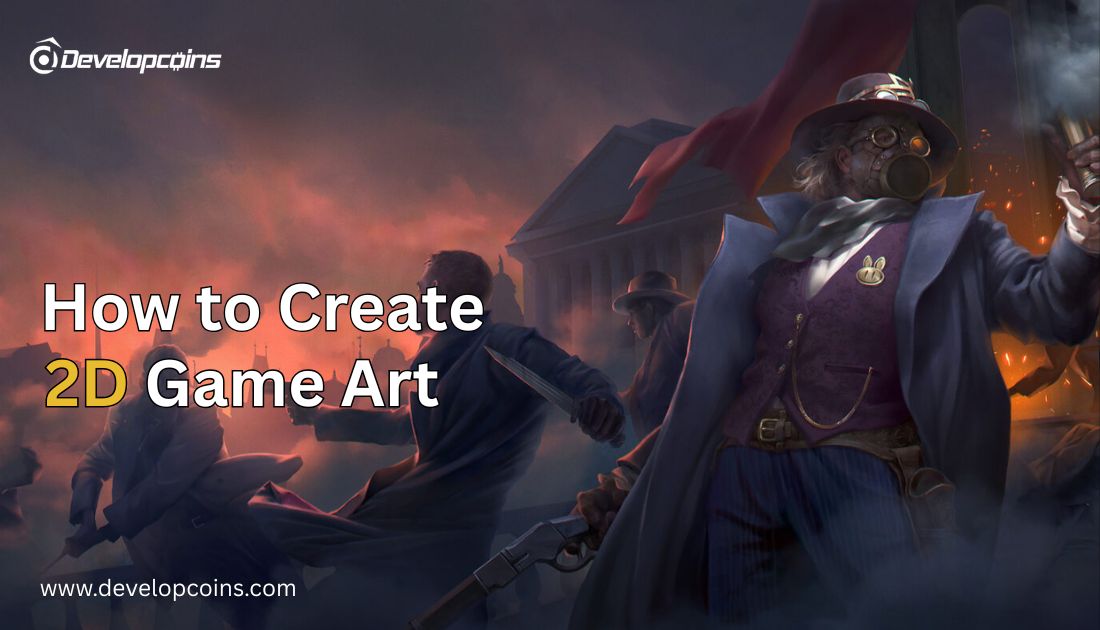
How to Create 2D Game Art
2D game art remains essential for mobile, indie, and casual gaming. This guide explains creation techniques, tools, and best practices. Developcoins provides professional 2D game art and complete game design solutions.
In the world of digital gaming, visuals are the first impression and often the strongest selling point. Before players experience gameplay mechanics or storyline depth, they connect with what they see on the screen. That is where 2D game art plays a defining role. 2D game art continues to dominate the market in mobile gaming and indie development because of its design flexibility, stylistic freedom, and cost efficiency. Whether you are an entrepreneur planning to launch a new game exploring development models, understanding how to create 2D game art can directly impact your project’s success.
What is 2D Game Art?
2D game art refers to all visual elements created using height and width dimensions without depth modeling. 2D visuals rely on artistic techniques such as shading, perspective, and layering to create immersion. For instance, Stardew Valley uses pixel art to create a nostalgic and cozy atmosphere. Hollow Knight shows how hand-drawn visuals can build emotional depth and storytelling. Meanwhile, Cuphead showcases how stylized animation inspired by vintage cartoons can become a powerful branding identity.
Why 2D Game Art is Still Relevant for the 2026 Gaming Industry?
As gaming technology advances, 2D game art continues to remain highly relevant in the gaming industry in 2026. The rise of cross-platform gaming, cloud-based gaming services, and mobile entertainment has increased the importance of lightweight and visually optimized graphics.
2D game art supports faster development cycles compared to complex 3D rendering pipelines. Game development platforms such as Unity Technologies continue supporting 2D pipelines for mobile and casual game markets. Another major reason is accessibility. 2D games perform well on low and mid-range devices, which is important for global gaming audiences. In emerging gaming markets, performance efficiency is often more valuable than ultra-realistic graphics.
Choosing the Right 2D Game Art Style
Game developers can choose from several popular 2D art styles depending on project requirements. Selecting the right art style is the next important step in your game art development.
Pixel Art Style
Pixel art is one of the most popular styles in retro and indie gaming. It uses small square-based visual elements to create characters and environments. This style is lightweight and performs well across different devices.
Cartoon Style
Cartoon-style game art focuses on vibrant colors, smooth edges, and expressive character designs. It is commonly used in casual games and children’s games due to its friendly visual appearance.
Anime-Inspired Style
Anime-style art is inspired by Japanese animation aesthetics. It emphasizes detailed characters, emotional expressions, and stylized visual presentation. This style is widely used in story-driven games.
Vector Graphics Style
Vector-based art allows scalability without losing quality. It is ideal for mobile gaming interfaces and modern casual games. Vector graphics are easy to modify and optimize. Here, assets consume less storage space for lightweight games in Unity Technologies.
Tools Used for Creating 2D Game Art
Professional Design Software
Software solutions from Adobe Inc. such as Photoshop and Illustrator are widely used for professional game asset creation. These tools provide advanced drawing, editing, and layering capabilities for high-quality artwork.
Game Development Engines
Modern game engines, such as Unity, support smooth integration of 2D art assets into gameplay systems. Asset importing, sprite management, and animation control are easier with Epic Games, which supports these workflows and visual pipelines.
Specialized Animation Software
Tools such as Spine are commonly used for skeletal animation. These programs help create smooth character movement without redrawing every frame manually. Open-source painting tools like Krita also gain popularity among beginner and pro artists.
Step-by-Step Process of Creating 2D Game Art
Step 1. Concept Planning
The first step in game art development is concept planning. Designers must understand the game genre, target audience, and storytelling style before starting drawing work.
Step 2. Style Selection
Choosing the correct art style assures visual consistency across the game. Developers should decide whether the project will use pixel graphics, cartoon, or vector design.
Step 3. Assets Creation
Asset creation is about designers building characters, backgrounds, and interactive objects. Game Engines created by Epic Games support asset integration and testing.
Step 4. Color and Detail Addition
After basic drawing, artists apply shading, lighting, and texture details to improve visual depth. Digital painting software like Krita is commonly used for this stage.
Step 5. Animation Development
Character movement and interaction animation are created using skeletal or frame animation methods that help developers create smooth motion sequences.
Step 6. Engine Testing
All art assets must be tested inside the actual gameplay environment. Open-source game engines such as Godot provide built-in preview and animation testing features.
Best Practices for Professional 2D Game Art Development
Maintain Consistent Visual Language
Consistency in color palette, character design, and background style ensures professional presentation. Mixing unrelated design styles may confuse players.
Apply Color Psychology
Color selection influences player emotions and gameplay atmosphere. Bright colors are for casual gaming, while darker tones are preferred for adventure or horror themes.
AI Tools for Consistency in Large Projects
AI-assisted design tools are used in large-scale game art production to maintain visual consistency across multiple assets. It helps speed up and follow the artistic guidelines.
Ensure Vector Scalability for UI Elements
Vector-based design are resolution-independent and can scale across different screen sizes without losing quality. This makes them ideal for multiple devices games.
Optimize Assets Using Texture Atlases
Texture atlases combine multiple smaller images into a single texture file, reducing the number of draw calls during gameplay improving rendering and smoother gameplay.
Test Assets Inside Game Environment
Testing artwork inside the actual game engine helps identify scaling, visibility, and movement issues early in development.
Organize Project Files Properly
Structured naming conventions and folder hierarchies improve team collaboration and workflow efficiency.
Conclusion
Creating high-quality 2D game art requires artistic creativity, technical knowledge, and a structured development approach. For businesses and developers looking for a professional 2D game development company, Developcoins can help transform creative ideas into successful gaming products. As a specialized game development company, Developcoins offers customized game design, 2D game art development, and complete game production solutions for startups and enterprises. Whether you are planning a casual mobile game or a large-scale advanced gaming project, Developcoins help high-quality games for long-term project success and sustainable growth.

THE AUTHOR
DEVELOPCOINS EDITORIAL TEAM
Our Developcoins' Editorial Team brings over 10+ years of experience in blockchain, fintech, and AI-based technologies. We are a team of developers, analysts, and technical writers sharing insights from successful projects. We believe content should do more than inform. It should guide, clarify, and give readers the confidence to explore new technologies. To support this, we publish content backed by practical knowledge gained from working on live projects across industries.